1. Plug In Your Display
Power on Vision Cube, connect to its WiFi setup page, and open the browser control panel from your phone or computer.
Simple Process
Three simple steps to set up Vision Cube, prepare a GIF, and play it on your desk display.
The Vision Cube is an innovative 240×240 pixel IPS square desk display designed to show custom GIFs, MP4 animations, and live dashboard data. Operating over 2.4GHz WiFi, it is configured directly through a secure web-browser control panel, requiring no external mobile application or driver installation.
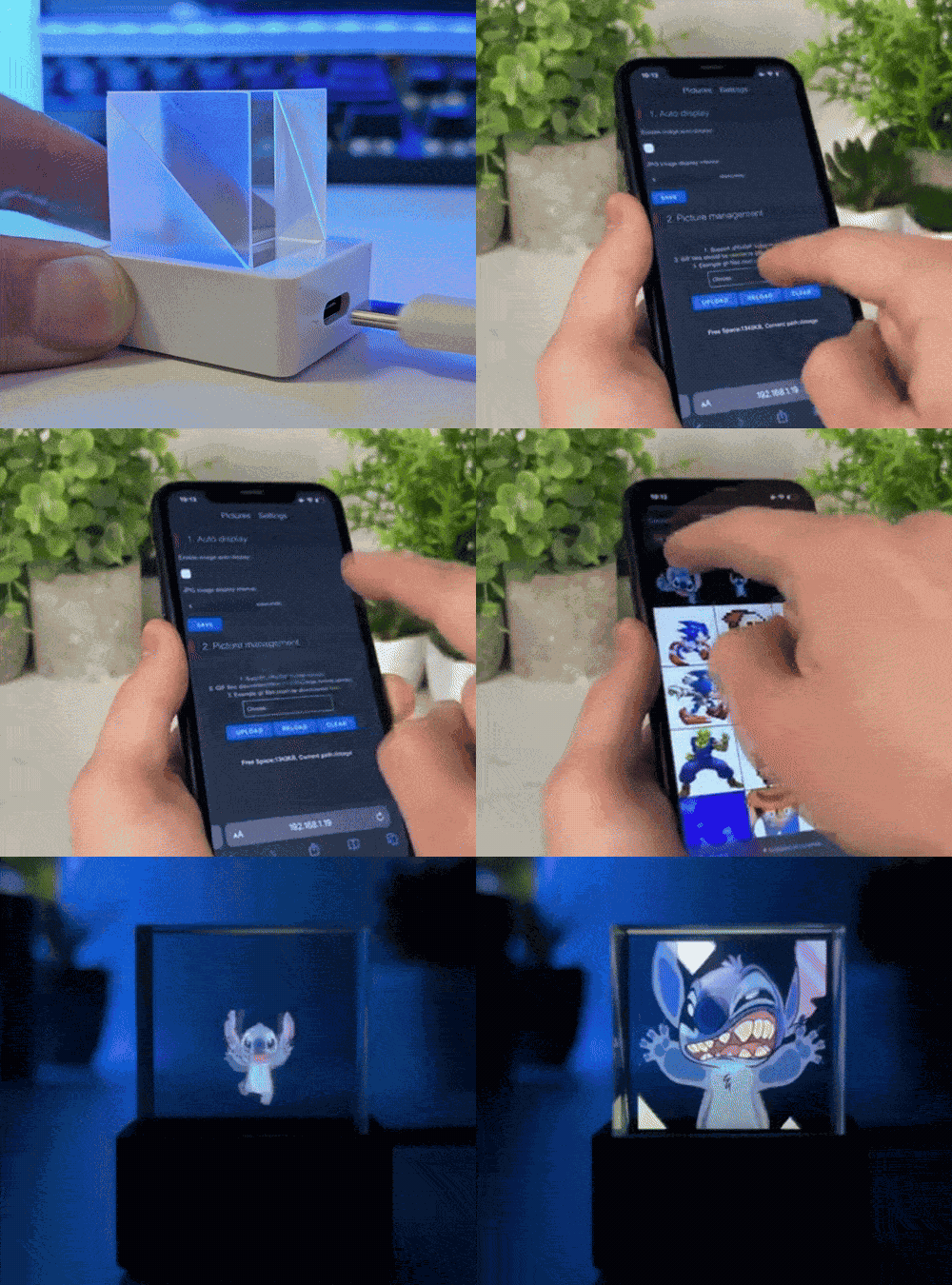
Power on Vision Cube, connect to its WiFi setup page, and open the browser control panel from your phone or computer.
Use the Pixelcreat GIF Tool to crop, compress, and convert your animation into a display-ready square GIF.
Upload the optimized file through the WiFi browser page, choose it for playback, and refresh your desk display anytime.
| Screen Type | IPS Square Display |
| Resolution | 240×240 pixels |
| Connectivity | 2.4GHz WiFi (802.11 b/g/n) |
| Control | Web Browser UI (No App Required) |
| File Support | GIF, MP4, WebM, MOV (Under 10MB) |
| Power | 5V/1A USB-C Cable (Included) |
| Feature | Standard | Ultra |
|---|---|---|
| Screen Size | 1.54 Inches | 1.82 Inches |
| Material | Clear Acrylic | Sleek Aluminum |
| Storage | 16MB Flash | 64MB Flash |
| WiFi | 2.4GHz | 2.4GHz / 5GHz |
| Setup Time | < 5 minutes | < 5 minutes |
Every order includes tracking and setup support.
Your cart is empty
Shop Now


